Working or studying
Use your laptop camera or a phone propped on the desk. Just make sure your face is in view. Blinks don’t trigger it.
FOR WORK, STUDY, NIGHT SHIFTS AND LONG DRIVES
That moment when you realise your eyes were closed — Drowsiness Guard wakes you before it. Eyelids and head posture are analysed on your device only; alerts come as sound, vibration, screen and light. To stop it: open your eyes, say “I’m awake”, or press a button.
The Web app is available in English and Japanese. Android is free with ads; its interface is currently mainly Japanese.
● Camera analysis happens on your device · open source
FOR YOU
Use your laptop camera or a phone propped on the desk. Just make sure your face is in view. Blinks don’t trigger it.
Set “Where you use it” to Car: it keeps watching with Maps in front and, when drowsiness is detected, tells you to rest at the next service area or parking lot. An aid only, at your own risk — never handle the phone while driving.
With earphones in, the alarm goes to you alone. Respect people around you and local rules on cameras and devices.
HOW IT WORKS
Angle your laptop or phone so your eyelids are in view. Placement doesn’t matter — it learns your usual posture.
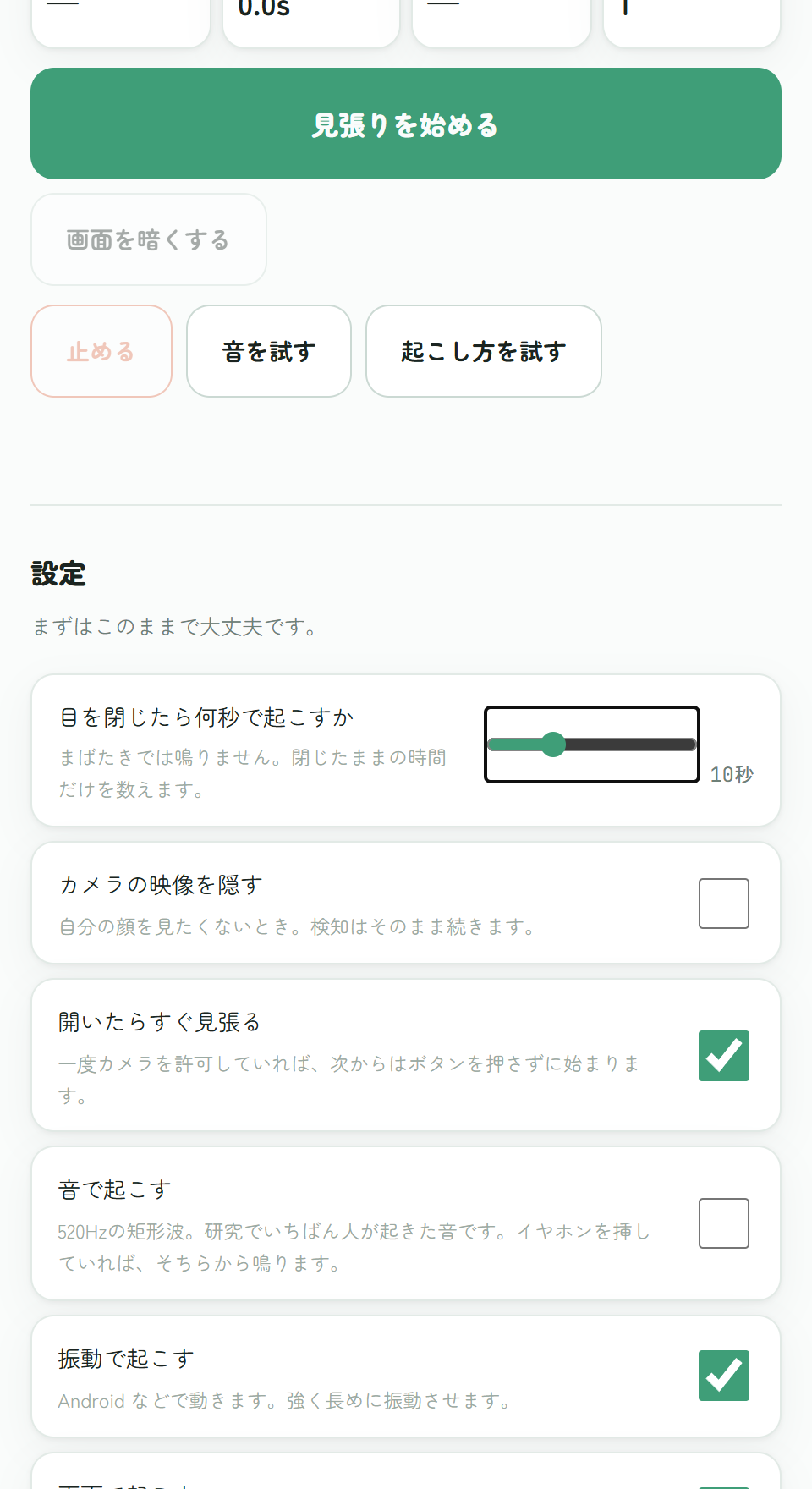
Desk or car, and how many seconds of closed eyes before it wakes you (3–60 s, default 5). Test the sound and vibration.
Allow the camera once; from then on it starts the moment the app opens. When it rings, open your eyes, speak, or press a button.
WEB + ANDROID
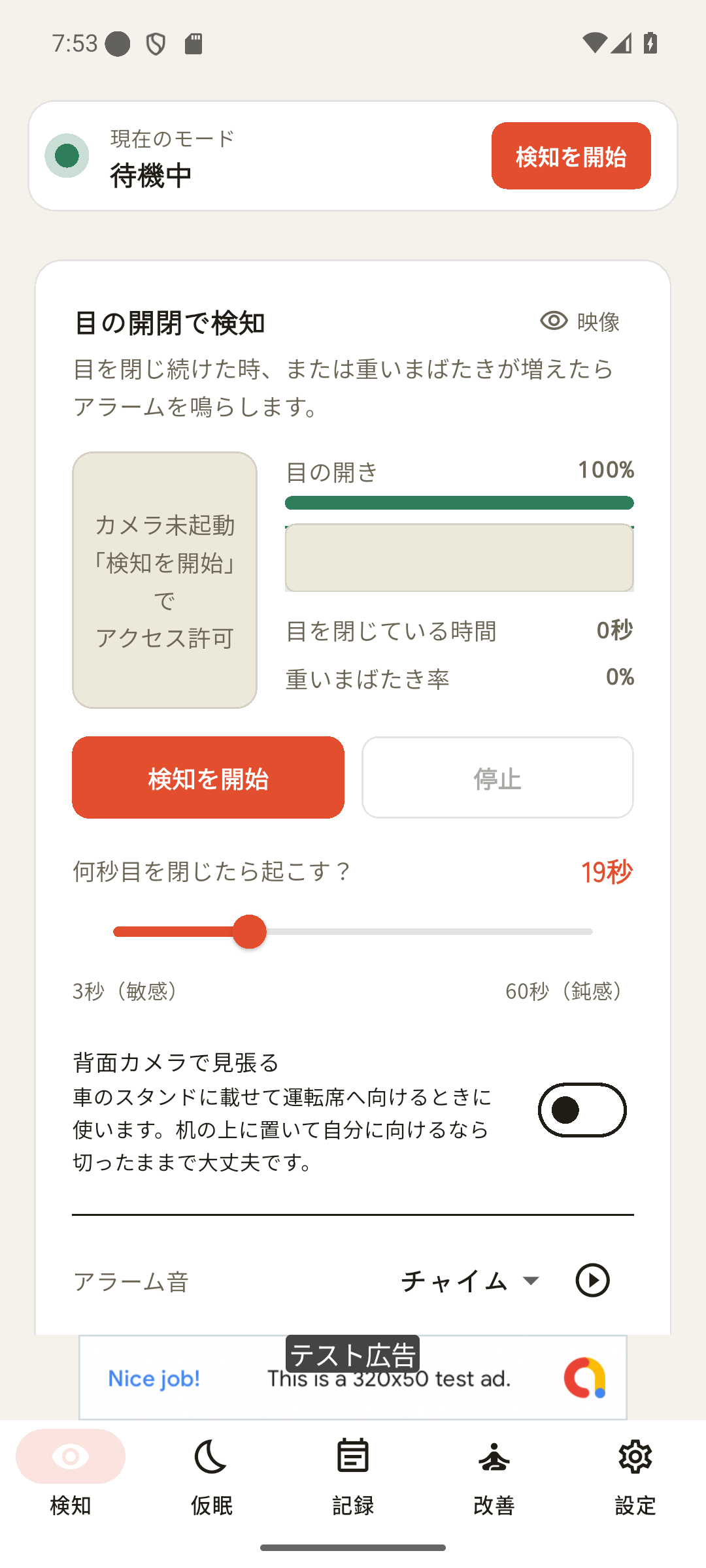
If your head slumps forward, tips back or falls sideways and stays there, it wakes you. With sunglasses it watches your head only.
Eyes open for 3 seconds, say “I’m awake” or “stop”, a volume button, the play button on your steering wheel or earphones, or Stop on the notification.
A short-nap timer, Pomodoro and a hydration reminder. On Android, a log of detections and a sleep guide. If sleepiness persists, see a doctor.
Try it right away in a browser on your computer or phone. It keeps watching in another tab of the same browser; turning the screen off or switching apps stops it. For the car, use the Android app.
Try the Web app →Install from Google Play. Keeps watching in other apps and with the screen off; in a car it tells you where to rest, strobes the light and stops by voice. You’ll be asked to agree to the Terms of Use on first launch.
View on Google Play ↗NEW
Rate your sleepiness (Karolinska scale), count attention lapses with a 3-minute reaction test, and nap 10–20 minutes with a timer. What works and what does not, by strength of evidence.
OPEN SOURCE
The full source of the Android app is on GitHub (Apache-2.0). We say the camera feed never leaves your device; now you don’t have to take our word for it — you can read the code.
Camera frames go to the on-device eyelid and head analysis and are neither sent nor stored. The only network calls are model loading, ads, purchases and car-mode speed limits (a roughly 2 km area sent to OpenStreetMap), and those are readable too.
Detection thresholds, alarm types, how it stops. Report anything odd as an Issue, or send a Pull Request.
Apache License 2.0: modify, redistribute and use commercially, as an individual or a company. The name “Drowsiness Guard / 居眠りガード” and the Google Play listing remain with the studio.
The web version (/app/ on this site) follows the same on-device policy; the published repository is the Android app.
Yes, with the Android app (set “Where you use it” to Car) — as an aid only and at your own risk. It does not replace the driver’s duty of care, and it can miss or misfire. Don’t handle the phone while driving, mount it where it doesn’t block your view, and follow traffic law. If you feel sleepy, stop somewhere safe and rest whatever the app says. See Section 4 of the Terms of Use.
Keep your eyes open for 3 seconds (for a head alarm, sit back up for 3 seconds). Or say “I’m awake” / “stop”, press a volume button, the play button on your steering wheel or earphones, or tap Stop on the notification. No need to return to the app.
Glasses mostly work (glare can hide one eye). With sunglasses the eyes can’t be read: it shows EYES HIDDEN and watches head posture only.
Audio routing depends on your OS, connection and device. Earphones-only playback can’t be guaranteed — check the volume and output before you rely on it.
The Android app is open source (see “The source code is public” above), so you can confirm in the code that video stays on the device. Eyelid and head analysis happens on your device; camera frames are never sent or recorded. “Stop by voice” uses your phone’s speech recognition, so audio while the alarm rings may be processed by that service (can be turned off). Loading the site and model, and ads and purchases on Android, do use the network. On Android, car-mode speed limit alerts (on by default, can be turned off) send the bounds of a roughly 2 km square around you to an OpenStreetMap map server — never your exact position or speed.
No. Dim light, backlight, glare on glasses and face position can cause misses and false alerts. The absence of an alarm is not evidence that you are safe. It is not a medical or safety device.
When you’re sleepy, rest. An alert is not a substitute for sleep.
Not a medical device, driver-assistance system or safety device; it does not guarantee detection or accident prevention. You’ll be asked to agree to the Terms of Use on first launch.